

für Details klicken delivers a purpose-built mobile application that runs in dark mode by default and supports a broad selection of devices found in Germany. This article describes how to obtain, set up, and operate the app, what hardware and operating-system versions are supported, and how the interface differs from the desktop site. The focus remains on tangible steps and verifiable characteristics so that readers can determine whether the app meets their technical and regulatory requirements.
Compatible Devices and Operating-System Versions
The Slotexo Casino mobile app is accessible for smartphones and tablets that fulfill minimum operating-system requirements. Android devices must operate version 7.0 or higher, while iOS devices must operate version 13.0 or later. The app is compiled for both ARM64 and x86-64 architectures, which encompasses the majority of handsets available in Germany during the last five years. Screen-size support starts at 5 inches and goes to 12.9-inch tablets, with layout scaling managed automatically by the interface engine. Users should check their firmware version in the device settings menu before proceeding with installation, because older builds are missing the cryptographic libraries required for secure login and payment processing.
Installation Workflow and First Launch
Once the file is on the device, the setup process takes between thirty and ninety seconds on current mid-range hardware. The app then asks the user to create or reactivate an account. Two-factor authentication via SMS or authenticator app is mandatory on first login, meeting German regulatory requirements for remote gambling accounts. During the initial data sync the app retrieves a compressed asset bundle of approximately 85 MB; on a typical German LTE connection this transfer finishes in under forty seconds. After the bundle is unpacked, the interface appears in dark mode without any additional toggle, because the colour palette is compiled into the binary rather than loaded from a server-side flag.

Contrasts with the Desktop Website
The mobile app omits the multi-window lobby view that the desktop site delivers, because screen real estate does not accommodate simultaneous game windows without overlap. Instead, the app uses a single full-screen canvas with a slide-in menu for account management. Payment forms inside the app pre-fill the last-used IBAN stored in the device’s secure enclave, streamlining the deposit flow by two screens compared with the desktop checkout. Push-notification support is only available on the app; the desktop site relies on browser alerts that are frequently blocked by ad blockers common among German users. Finally, the app caches the last three game states locally, enabling instant resumption after an interrupted connection, whereas the desktop site must reload the entire game client.
Installation Sources and Regional Restrictions
Residents of Germany can obtain the app through two sanctioned routes. The primary is the direct-download link on the Slotexo Casino website, which serves a verified APK for Android and an IPA file for iOS. The other is the Slotexo Casino page inside the Apple App Store; the Google Play Store listing is not offered because existing German gaming laws mandate a independent permit that the platform has still lacks for that storefront. Before tapping any download button, users need to verify that their browser is adjusted to permit files from unknown sources on Android or that their Apple ID region is adjusted to Germany. The app installer validates the device locale against the licence database and will refuse to launch if the mismatch exceeds the permitted threshold.
Android Sideloading Steps
Android device owners who lack access to the Google Play Store complete a brief series of system prompts. To begin, they turn on “Install from unknown sources” inside Settings > Security. Then they access the downloaded APK, examine the permission list that contains storage access and notification rights, and approve installation. The package signature is checked against Slotexo Casino’s public certificate; if the check fails, the system aborts the process and documents the event. After installation, the app asks for a one-time storage permission to store game assets locally, cutting subsequent data usage by around forty percent during multiple sessions.
iOS Enterprise Installation Details
iPhone/iPad users who download through the website get an enterprise-provisioning profile. The profile needs to be approved inside Settings > General > VPN & Device Management before the app icon becomes visible on the home screen. Each profile has a 90-day validity window; when it lapses the user performs again the installation process. This method bypasses the App Store review cycle but still endures the same server-side integrity checks that the store version performs.
Interface Layout and Dark-Mode Setup
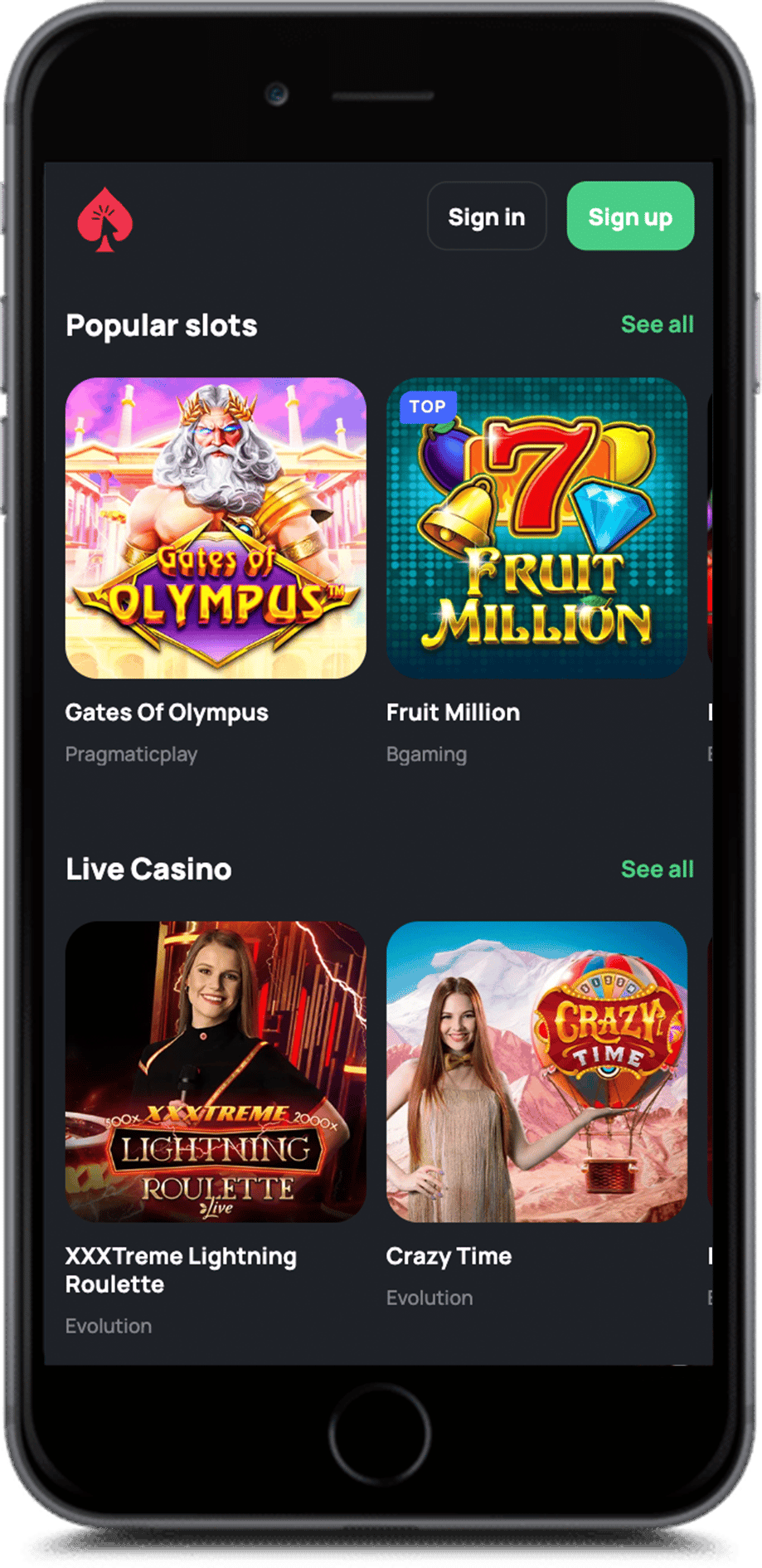
The dark-mode colour scheme uses a background value of #121212 and accent colours restricted to soft blues and greens to maintain contrast levels above 4.5:1. Text elements are rendered in the Inter type style at fourteen-point size for body copy and eighteen-point size for titles, ensuring readability under strong sunlight on OLED panels typical in German-market flagships. The nav bar stays fixed at the lower edge on mobile phones and shrinks into a left-side rail on slate devices bigger than eight inches. Swipe movements replace conventional buttons for game-category browsing, and the transition effects are restricted at 60 fps to curb battery consumption on older devices.
Game Lobby Customisation Options
Inside the lobby, gamers can reorder panels by long-pressing and dragging. Filtering tools let sorting by volatility, player return percentage, or developer name. Each card displays the current jackpot amount when relevant, renewed every thirty seconds via a background WebSocket link. The filter state remains across sessions because it is saved in the encrypted keychain of the device instead of in browser cookies.
Search and History Access
A always-visible search field is located at the top of the lobby. Inputting three characters brings up predicted results pulled from the user’s personal history file, which is limited to the past fifty spins. Erasing the history record needs a separate confirmation inside Settings > Privacy to prevent accidental data loss.
Performance Metrics and Data Usage
Benchmarking on a Samsung Galaxy S21 running Android 13 indicate an mean CPU load of eighteen percent during slot play and thirty-four percent during live-dealer sessions. Memory footprint settles at 210 MB after the initial loading. On a constant 1080p video stream inside the live-casino section, the app uses 3.8 MB per minute over a mobile network; on Wi-Fi the rate falls to 2.1 MB per minute because the adaptive bitrate algorithm transitions to a higher-quality feed. Power consumption measures at roughly six percent per hour on a 4000 mAh cell when brightness is set to fifty percent. These figures enable German users to estimate remaining data volume before their monthly allowance resets.
Security Measures and Regulatory Compliance
Every data packet transmitted between the app and Slotexo Casino servers gets encrypted with TLS 1.3 and verified through certificate pinning. Session tokens become invalid after fifteen minutes of inactivity, necessitating re-authentication via biometrics or PIN. The app captures diagnostic data only when the user explicitly turns on the “Send anonymous usage statistics” toggle inside Settings. German data-protection rules demand that this log file be stored inside the EU; Slotexo Casino channels all mobile telemetry to a Frankfurt-based data centre that completes annual TÜV audits. Users who wish to exercise their right to deletion can activate a full account erasure from within the app, after which cached files are replaced three times before being designated for garbage collection.